· Updated · 9 min read · Omkar Satpute and Milind Soni
Managed OpenClaw hosting compared, and the no-server option
Nine hosts sell managed OpenClaw, from $4.99 to $499+ a month. What you get, renewal traps, what a managed workspace means, and a free option with no server.
Managed OpenClaw means someone else runs the gateway for you. Hostinger sells it by that exact name from $4.99 a month on a two-year term, and at least eight other hosts sell the same thing from about $10 to $499 and up. It is worth it if you want OpenClaw on WhatsApp and Telegram around the clock without touching a VPS. The alternative most lists skip is an agent that never needed a server: MausBot runs on the Mac, PC, or Ubuntu box you already own, with approvals you set per bot, and moves to a Cloud plan or to your own server with a one-command installer when you want always-on.
What "managed OpenClaw" is
OpenClaw is a self-hosted agent: a gateway process on a machine you control, reached through its own desktop and phone apps or through WhatsApp, Telegram, Discord, iMessage, and the rest of its 29 channels. The project sells nothing. Its homepage says "No subscription. No hosted tier. No token." So "managed OpenClaw" is always a third party: they rent you a server, install the gateway, keep it updated, and hand you a dashboard.
The phrase took off when Hostinger named a product exactly that. Their setup doc describes the deal: OpenClaw in a dedicated Docker container, security and software updates handled, AI credits included, and pairing for Telegram and WhatsApp, with Discord still under development.
And what an "OpenClaw managed workspace" is
If you searched for that phrase, Google probably sent you to OpenClaw's docs and left you confused. Two real things collide in it:
- The workspace is OpenClaw's name for the agent's home folder,
~/.openclaw/workspace, holdingAGENTS.md,SOUL.md,MEMORY.md, skills, and memory files. The agent workspace docs cover it, and the managed worktrees docs describe isolated git checkouts that agent tasks run in, with automatic snapshots and cleanup. - Managed is the hosting word above. Nobody sells a product called a managed workspace; what people want is "my OpenClaw and its files, kept running by someone else."
Every host in the table below gives you that: the workspace folder persists on their server, they keep the gateway alive, and you talk to it from your phone.
Why people pay for it
Self-hosting OpenClaw is a real job, and the reasons show up in the same order in every thread.
- The exposed gateway. Early in 2026, scans counted from more than 17,500 to more than 135,000 OpenClaw instances reachable from the internet, depending on who scanned. CVE-2026-25253 turned that into one-click remote code execution until it was fixed in January, and ClawJacked let a malicious web page brute-force the gateway password from your own browser. OpenClaw's security docs now say a regular host install binds the gateway to loopback, but container images default to an exposed bind. A host that binds it correctly is worth paying for.
- Setup. The official VPS path is Tailscale, then restrict public SSH, then onboard with a systemd unit. Hostinger's own cost article lists "Docker, SSH, ports, server configuration, monitoring, and recovery" as what you are paying to avoid.
- Keeping it alive. The gateway has to survive updates and reboots, on a small box with little memory or on a home Mac that has to stay awake.
- Windows. OpenClaw now has a native Windows app, Windows Hub, but its docs still call WSL2 the most Linux-compatible gateway runtime, and some Windows bugs, such as a non-ASCII profile path breaking the CLI on GBK consoles, are still open. A hosted box sidesteps all of it.
Managed OpenClaw hosts, side by side
Prices are what each provider's page showed on November 15, 2026. Promotional prices are listed with the renewal price where the page states one, and some hosts were running Black Friday offers that day, so check again before you buy. Model tokens or credits are extra everywhere.
| Host | Price | What runs where | Notes |
|---|---|---|---|
| Hostinger Managed OpenClaw | $4.99/mo on a 24-month prepaid term, renews at $9.99; larger plans up to $11.99, renewing at $18.99 | Dedicated Docker container, security and updates handled | AI credits included; WhatsApp, Telegram, Slack; Discord pairing still under development; backups listed as coming soon |
| Elestio | From $16/mo, billed hourly | Dedicated VM | Backups, SSL, firewall, bring your own VM; ISO 27001, SOC 2, GDPR and HIPAA listed |
| Cloudways Managed AI Agents | $9.99, $19.99, $39.99, $79.99/mo | Managed server | Bring your own keys; tests OpenClaw updates before they reach your server; no bundled credits |
| xCloud | From $24.99/mo, the same every month; less on 12- or 24-month terms; plans up to $379.99 | Managed server | Free SSL; security managed by default |
| openclawai.io OpenClaw Cloud | $19.90 or $39.90/mo; $13.50 or $27.10/mo billed yearly | Isolated microVM per execution | Tenant isolation, AI review of skills before install, AI credits included; an independent deployment, not run by the OpenClaw project |
| setupopenclaw.com | $19, $39, $79/mo | Dedicated Hetzner server in Germany | Daily encrypted backups; bring your own key or buy credits; signup by waitlist |
| AgentClaw | $9.99/mo per agent, $99.99/yr | 1 GB RAM instance | Encryption at rest; Telegram and Discord |
| WPMU DEV | Bundled with hosting plans from $30/mo, half that for Premium Pro members | WPMU DEV hosting | WAF, anti-bot, SSL, backups |
| ManagedOpenClaw.com | $199 one-off deploy; care plans $49, $199, $499+/mo | Dedicated VPS per client | SSH key-only, firewall allowlists, encrypted nightly backups |
Three things to check before you pay. First, the renewal: Hostinger roughly doubles at renewal. Second, where the dashboard sits: one review of the Hostinger VPS template found the dashboard on a public IP over plain HTTP by default, which is the exposed-gateway problem you were paying to avoid. Third, credits: OpenClaw's heartbeat checks in every 30 minutes, and on a credit-billed plan that runs the meter while you sleep.
The option that needs no server
Every host above exists to keep OpenClaw on around the clock. OpenClaw's own desktop apps run it on your computer, but only while that computer is awake. MausBot starts from the computer in front of you too: a chat app where every contact is a bot with its own model, its own computer, and approvals you set per bot. Bots run one of 16 agent engines, Claude Code, Codex, Grok and more, with the plan or API key you already have. For the desktop app there is no VPS and no renewal price, because there is no hosting. The app is free and Apache 2.0 licensed.
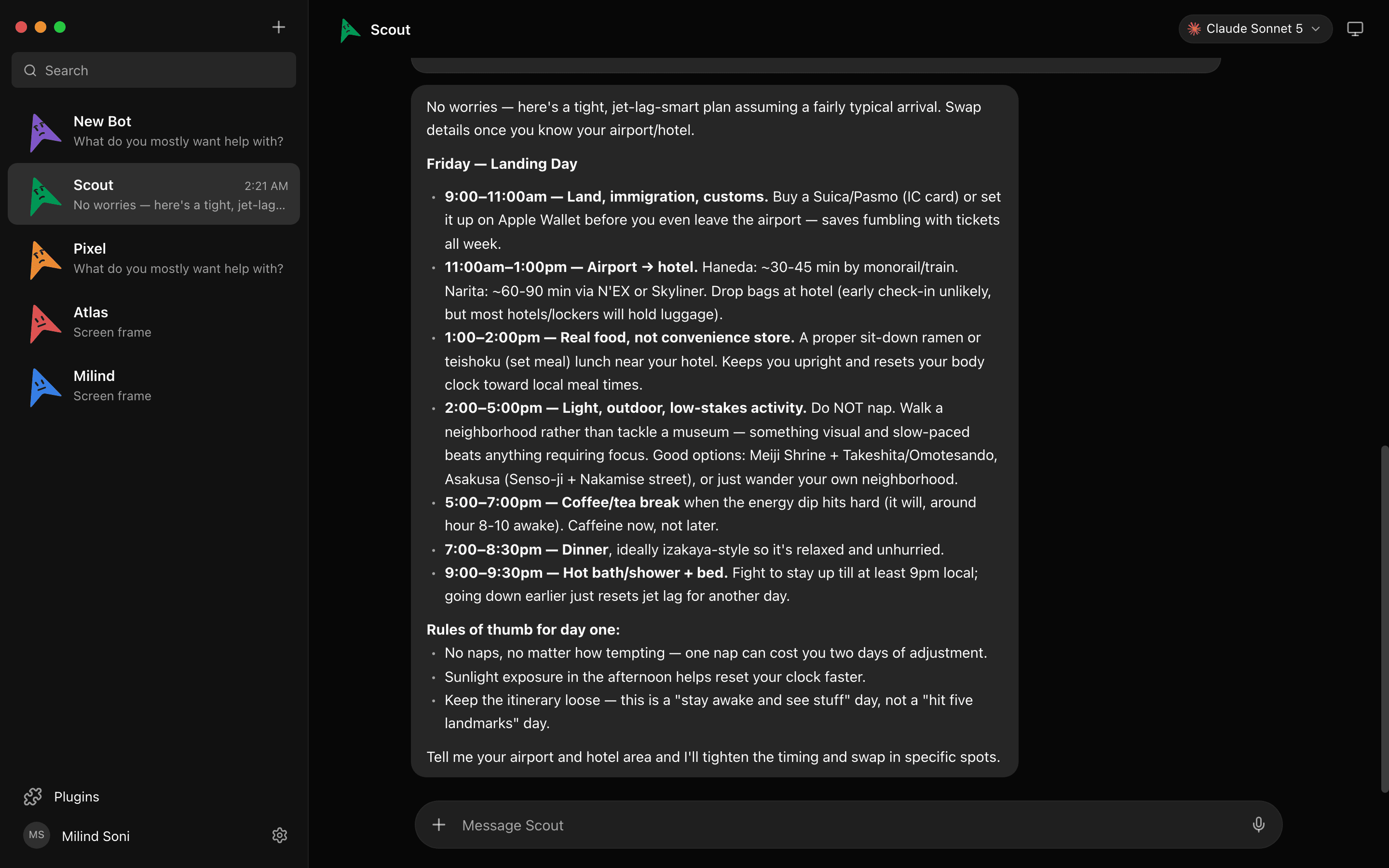
Try it. This is a live simulation of four bots working in parallel:
A simulation. Pick a bot, or type to it. The replies are scripted; the real thing runs on your own machine.
Approvals you set per bot
OpenClaw's exec approvals default to full on gateway hosts, which means shell commands run without a prompt unless you change it. MausBot starts every bot at Full access too. In both, asking first is a setting you choose; in MausBot it is per bot or per thread: Ask for approval, Auto-accept edits, or Approve for me, plus Ask every time for email, messages, posts, and payments a bot sends for you. Managed hosts harden the box; they do not change what the agent does once it is inside.
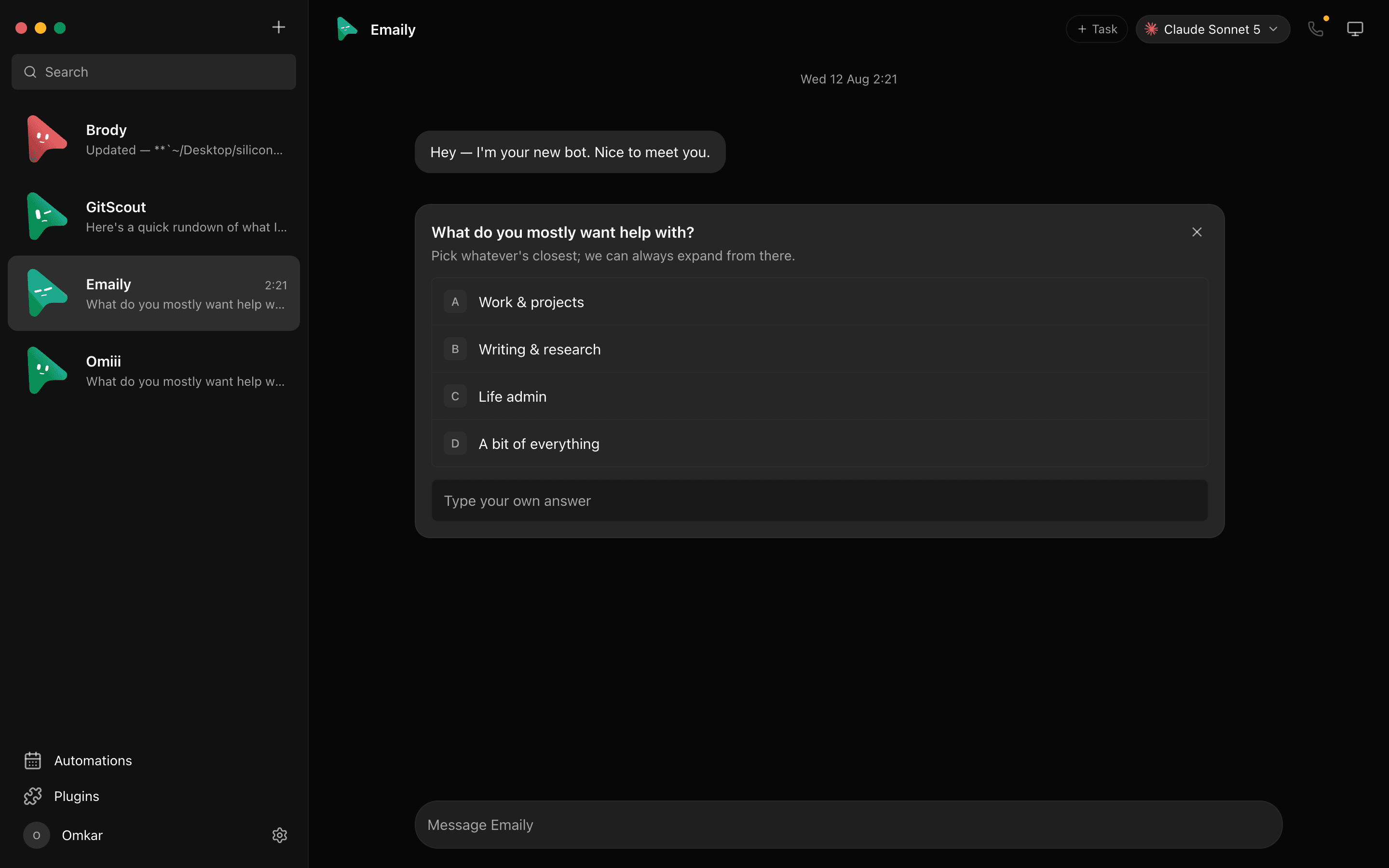
A cloud computer when you want always-on
The honest reason to host is that a closed laptop runs nothing. On a Cloud plan, from $19 a month, your bots get an always-on cloud machine and cloud computers with a live desktop you can watch or take over, so they keep working with your laptop shut.
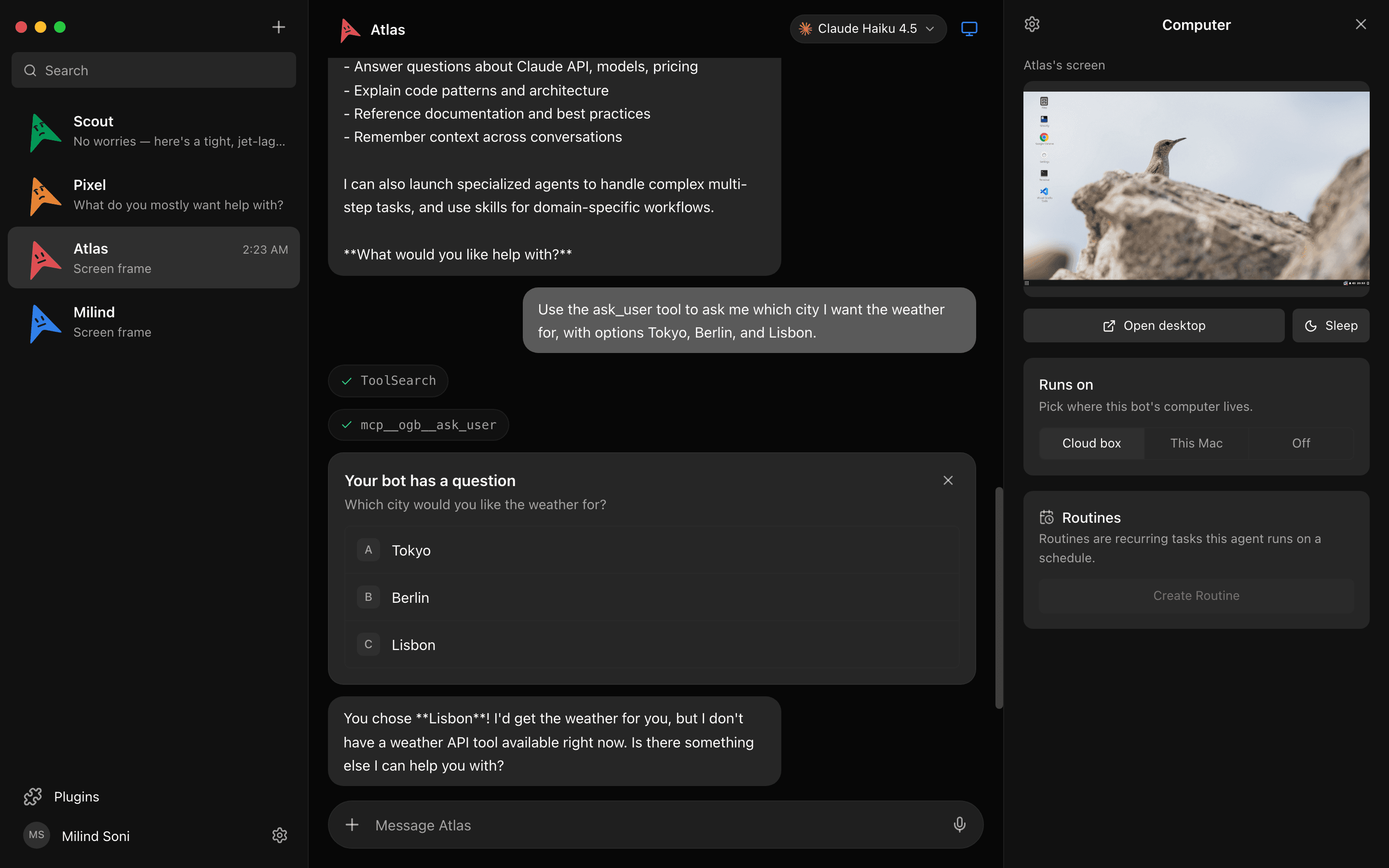
And when you do want a server, one command
If you want the whole team on your own server, self-hosting is free. On a fresh Ubuntu 22.04 or 24.04 server with a domain pointing at it, one installer command checks the server, installs MausBot in Docker, and ends with HTTPS on your domain, so your automations keep running with every laptop closed. The VPS guide lists every check, and the data stays on that server. If you would rather not run a box at all, a Cloud plan gives you an always-on cloud machine for your bots, from Starter at $19 a month to Pro at $49.
What managed OpenClaw still does better
Two things, and they decide it for some people. OpenClaw lives inside the messaging apps you already use; MausBot is its own desktop app with iPhone and Android apps, not a contact in WhatsApp. And OpenClaw has ClawHub, a skill catalogue with no MausBot equivalent, plus a far larger community. If the job is "text my agent on WhatsApp and it has a skill for everything," a managed OpenClaw host is the right purchase. Note that iMessage needs a Mac, and every host here runs Linux. Read the terms on the gateway bind and the renewal first.
Which one should you choose?
Choose a managed OpenClaw host if you are already an OpenClaw user, you want it reachable from WhatsApp or Telegram all day, and you would rather pay $10 to $40 a month than learn systemd. Elestio and openclawai.io have the most specific security pages; Hostinger is the cheapest on a long prepaid term.
Choose MausBot if you want an agent today on the computer you already own, want to choose per bot when it asks before it acts, want more than one bot with more than one model, or want always-on without running a gateway yourself. Start with the desktop app; add a Cloud plan or your own server later if you need to. Our OpenClaw alternative post has the full feature comparison.
Frequently asked questions
- What is an OpenClaw managed workspace?
- Two things get mixed up in that phrase. In OpenClaw, the workspace is the agent's home folder (AGENTS.md, SOUL.md, memory, skills), and the docs talk about managed worktrees, isolated git checkouts that agent tasks run in, with automatic snapshots and cleanup. Managed OpenClaw, with a capital M, is hosting: a company such as Hostinger runs the gateway for you. If you searched for a managed workspace, you almost certainly want the second thing, and this post is about that.
- Is there an official hosted OpenClaw?
- No. openclaw.ai says it plainly: no subscription, no hosted tier, no token. The OpenClaw Foundation, a 501(c)(3) non-profit announced in July 2026, sells nothing. Every OpenClaw Cloud you find is a third party running the open-source code.
- How much does managed OpenClaw cost?
- From $4.99 a month at Hostinger on a two-year prepaid term ($9.99 on renewal) to $499 and up for a custom plan at ManagedOpenClaw.com. Most entry plans sit between $10 and $40 a month, before model tokens or credits.
- Do I still pay for the model on managed OpenClaw?
- Yes, always. Some hosts bundle credits (Hostinger, openclawai.io), others are bring-your-own-key (Cloudways), and setupopenclaw.com offers either. OpenClaw's heartbeat runs every 30 minutes by default, so on a credit-based plan it spends credits while you are idle.
- Is MausBot a managed OpenClaw?
- No. It is a different open-source project with a different shape: a desktop chat app where each bot has its own model, computer, and approval level. It needs no server for the desktop case. For always-on, a Cloud plan from $19 a month gives your bots an always-on cloud machine, or a one-command installer runs MausBot free on your own Ubuntu server with a domain, in Docker with HTTPS.
- Can MausBot run OpenClaw skills or channels?
- No. MausBot does not run OpenClaw's skills or its chat-app channels, though OpenClaw itself can be added to MausBot as a custom ACP agent. MausBot connects to apps through a managed Composio service and any MCP server, and you reach your bots in its desktop, iPhone, and Android apps. If you need iMessage or WhatsApp as the interface, stay with OpenClaw.
Get started in two minutes
No server and no card. Download for macOS, Windows, or Ubuntu, let MausBot install and sign in Claude Code or Codex, and meet your first bot. Or read the source on GitHub first. The app is free; Cloud plans from $19 a month are optional. See the features list.
This post is based on the products as they were on . Products change. If something here is out of date, tell us and we will correct it.