· Updated · 8 min read · Omkar Satpute and Milind Soni
Claude Cowork alternative: open source, multi-model, Windows
Claude Cowork now runs on Windows and inside one Claude app. If you want open source, your own choice of model, or a local LLM, these are the alternatives.
MausBot is the open-source alternative to Claude Cowork for people who want more than one model. Cowork is closed source, Claude only, paid plans only, and since September 16, 2026 it has been merging into one Claude app. MausBot is free and open source under Apache 2.0, for macOS, Windows, and Ubuntu: one team of the AI agents you already have, where each bot runs on Claude Code, Codex, Grok, another agent engine, an API model, or a local model, at the approval level you set.
What Claude Cowork is
Anthropic pitched Cowork as "Claude Code for the rest of your work". You give Claude a task, it makes a plan, coordinates sub-agents, researches the web, and produces Excel files with working formulas, PowerPoint decks, and formatted documents. At launch it ran in a sandboxed Linux VM on your Mac, as Simon Willison's write-up from launch day describes. Today its work runs in an isolated environment on Anthropic's servers, and reaches your own computer through the Claude Desktop app when a task needs local files, the browser, or computer use.
The timeline matters, because a lot of the complaints are dated.
- January 12, 2026: research preview, macOS, Max plans only.
- February 10: Windows.
- April: general availability.
- July 7: web, iOS, Android, and cloud sessions that keep running with the laptop closed.
- August 26: a built-in browser.
- September 16: Cowork and chat began merging into one Claude, where you no longer pick a mode first. Enterprise got it on October 23 and Team on November 12.
Plans: every paid tier, so Pro at $20, Max at $100, Ultra at $200, Team, and Enterprise. Not on Free. Platforms: Claude Desktop for macOS, Windows, and Linux (beta), web, mobile, and a Chrome side panel. Features: connectors, plugins and skills; scheduled tasks; cloud sessions; Manual, Auto, and Skip approval modes, with Auto the default on Pro, Max, Ultra, and Team; and a rule that it asks before permanently deleting files.
So "Claude Cowork for Windows" has had an answer since February. If Windows was your only reason to look elsewhere, you can stop reading. The reasons below are the ones that still stand.
Why people look for a Cowork alternative
- One vendor, one model. Cowork is Claude. There is no way to point it at GPT, Grok, or an open-weights model. Organizations can route it through Bedrock, Google Cloud, or Microsoft Foundry, but that is an organization-level setup, and it is still Claude. If your team already pays for two providers, one of them sits idle.
- No local models. Nothing runs on your own GPU. For some regulated data, that is a hard stop.
- Closed source. You cannot read the harness, audit what leaves the machine, or run it in an air gap.
- Usage caps. Cowork shares your plan's limits with chat and Claude Code, multi-step tasks use more, and Anthropic confirmed in March 2026 that it tightened peak-hour session limits, hitting Pro users most. The cap is the plan's, not yours.
- The desktop has to stay open for anything that touches local files or your browser. Cloud sessions continue with the lid closed; local ones do not.
- Prompt injection. An agent that reads your documents and the web can be told by a document to exfiltrate what it read. This is unsolved everywhere, and Cowork's connectors widen the surface.
Cowork vs OpenWork vs Eigent vs MausBot
Cowork's column comes from Anthropic's support article, pricing page, and merge post; the others come from their READMEs. All were re-checked on November 15, 2026. Where a README or our sources do not state a fact, the cell says so instead of guessing.
| Claude Cowork | OpenWork | Eigent | MausBot | |
|---|---|---|---|---|
| Price | Paid Claude plans: Pro $20 a month, Max $100, Ultra $200, Team, Enterprise. Not on Free. | Free | Free | Free. Bots run on the Claude, ChatGPT or Grok account, or the API key, you already have. |
| License | Proprietary | MIT, apart from a source-available ee/ folder | Apache 2.0 | Apache 2.0, apart from an enterprise/ folder |
| Models | Claude only | Through OpenCode, which it is built on | Model agnostic, per its README | 16 agent engines (Claude Code, Codex, Grok, Cursor, Copilot and more); custom ACP agents; API engines such as Mistral, Groq, OpenRouter and any OpenAI- or Anthropic-compatible service |
| Local models | No; organizations can route it through Bedrock, Google Cloud, Microsoft Foundry or their own gateway, still on Claude | Check the README | Yes: vLLM, Ollama, LM Studio and more | Yes: Ollama, LM Studio, oMLX, EXO and Unsloth hosts in each bot's model picker |
| Platforms | Desktop for macOS, Windows and Linux (beta); web; mobile; Chrome side panel | macOS, Windows, Linux (Electron) | Electron desktop app with a Python backend | macOS (Apple silicon and Intel), Windows x64, Ubuntu; iPhone and Android apps |
| Multi-agent | One Claude that coordinates sub-agents | Not stated in our sources | Yes, a multi-agent workforce on CAMEL-AI | Yes. As many bots as you like, in group chats, with a Chief of Staff that hands out work |
| Approvals | Manual (Allow or Deny), Auto (the default on Pro, Max, Ultra and Team) or Skip; asks before permanently deleting files | Not stated in our sources | Not stated in our sources | Full access by default, or Ask, Auto-accept edits or Approve for me per bot; sends can be set to ask every time |
| Connected apps | Connectors, plugins and skills | Not stated in our sources | Not stated in our sources | Gmail, Slack, Notion, LinkedIn and hundreds more apps, any MCP server, and bots' own numbers and inboxes |
| Runs with the laptop closed | Yes, cloud sessions and scheduled tasks; local tasks need the app open | Not stated in our sources | Not stated in our sources | Yes on a Cloud plan from $19 a month, or self-hosted free on your own server |
MausBot
MausBot runs one team of the AI agents you already have, and every contact in its sidebar is a bot. Each bot has its own model, its own computer, its own connected apps, and its own memory. Bots run on the engine you choose, on the account or API key you already have, and MausBot installs Claude Code or Codex for you and signs it in from inside the app. Your data lives in ~/.openmausbot on your own machine. The code is on GitHub under Apache 2.0, apart from an enterprise/ folder, with no affiliation to Anthropic or any other vendor.
A model per bot
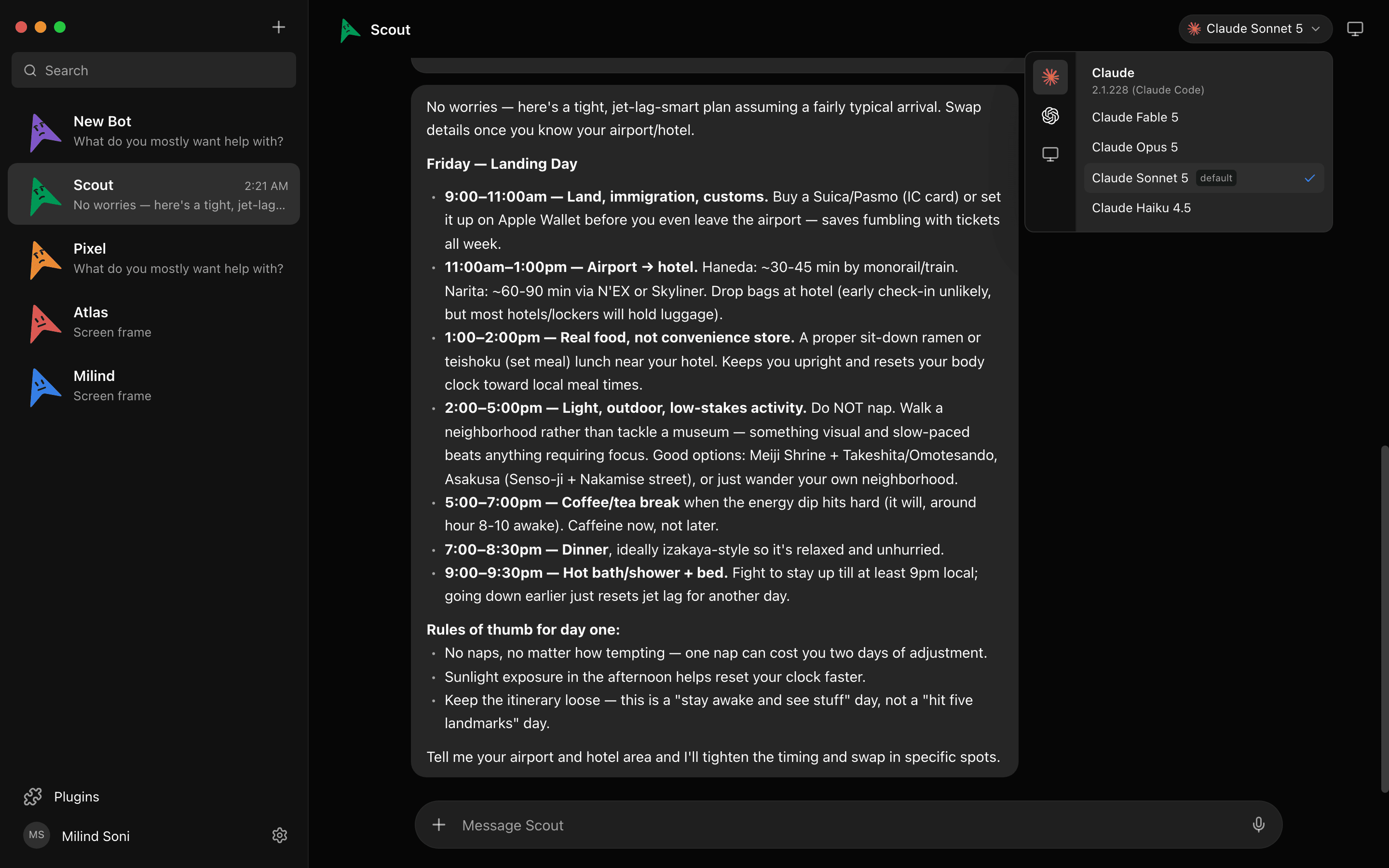
Claude Code, Codex, and Grok sit beside 13 more agent engines, Cursor, GitHub Copilot, Kimi, Droid, Antigravity, OpenCode, and Qwen among them. Custom ACP agents can be added from config.json, and API engines cover Mistral, Groq, OpenRouter, and any OpenAI- or Anthropic-compatible service. Ollama, LM Studio, oMLX, EXO, and Unsloth hosts show up in each bot's model picker on their own. Give one bot Claude for writing, another a local model for the documents that cannot leave the building, and switch mid-conversation.
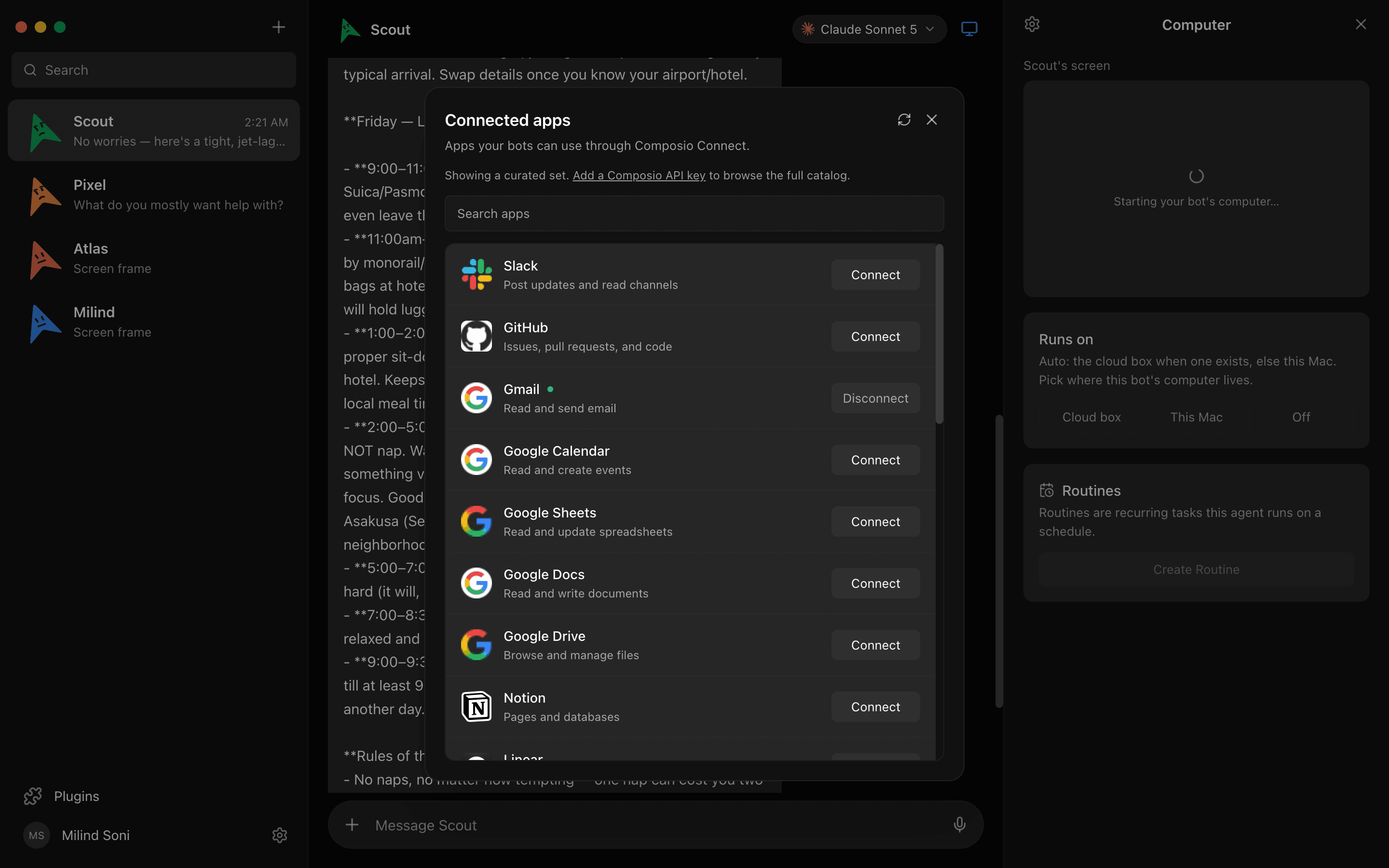
Connected apps, signed in once
Cowork's connectors are the feature people miss most in the open-source clones. MausBot covers it with hundreds of apps through a managed Composio service: Gmail, GitHub, Notion, Slack, Outlook, LinkedIn, and the rest. You sign in once to each, with no key to paste. Any MCP server works too, and you can add one from chat.
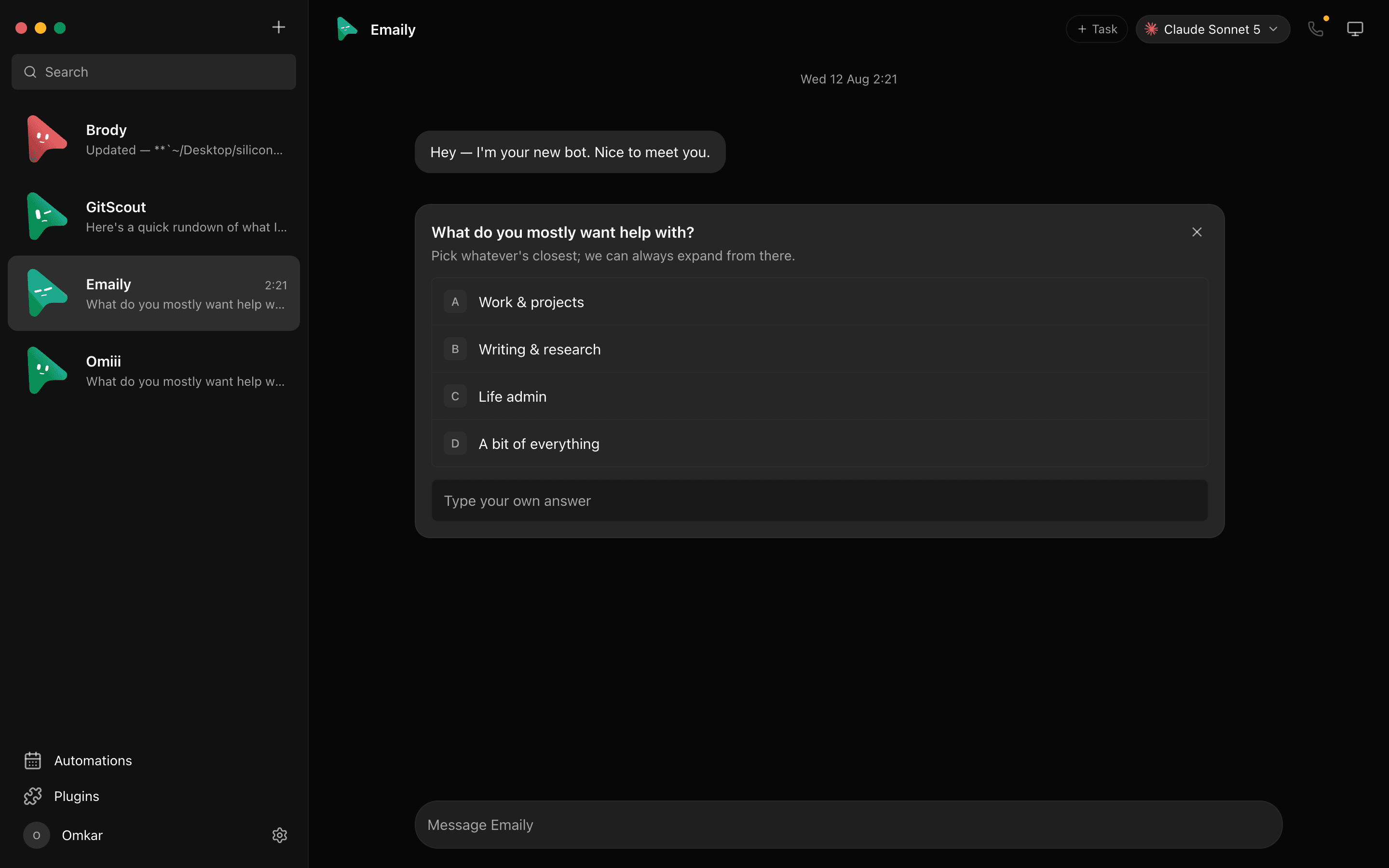
It asks when you tell it to
Cowork has Manual, Auto, and Skip modes, and asks before it permanently deletes files. MausBot has its own levels. Every new bot starts at Full access, and real questions and missing sign-ins still reach you. Set a bot or a single conversation to Ask for approval, Auto-accept edits, or Approve for me, which hands the call to the provider's own automatic review on Claude, Codex, Cursor, and Grok. Set its email, messages, posts, and payments to Ask every time, or just tell it to ask you first.
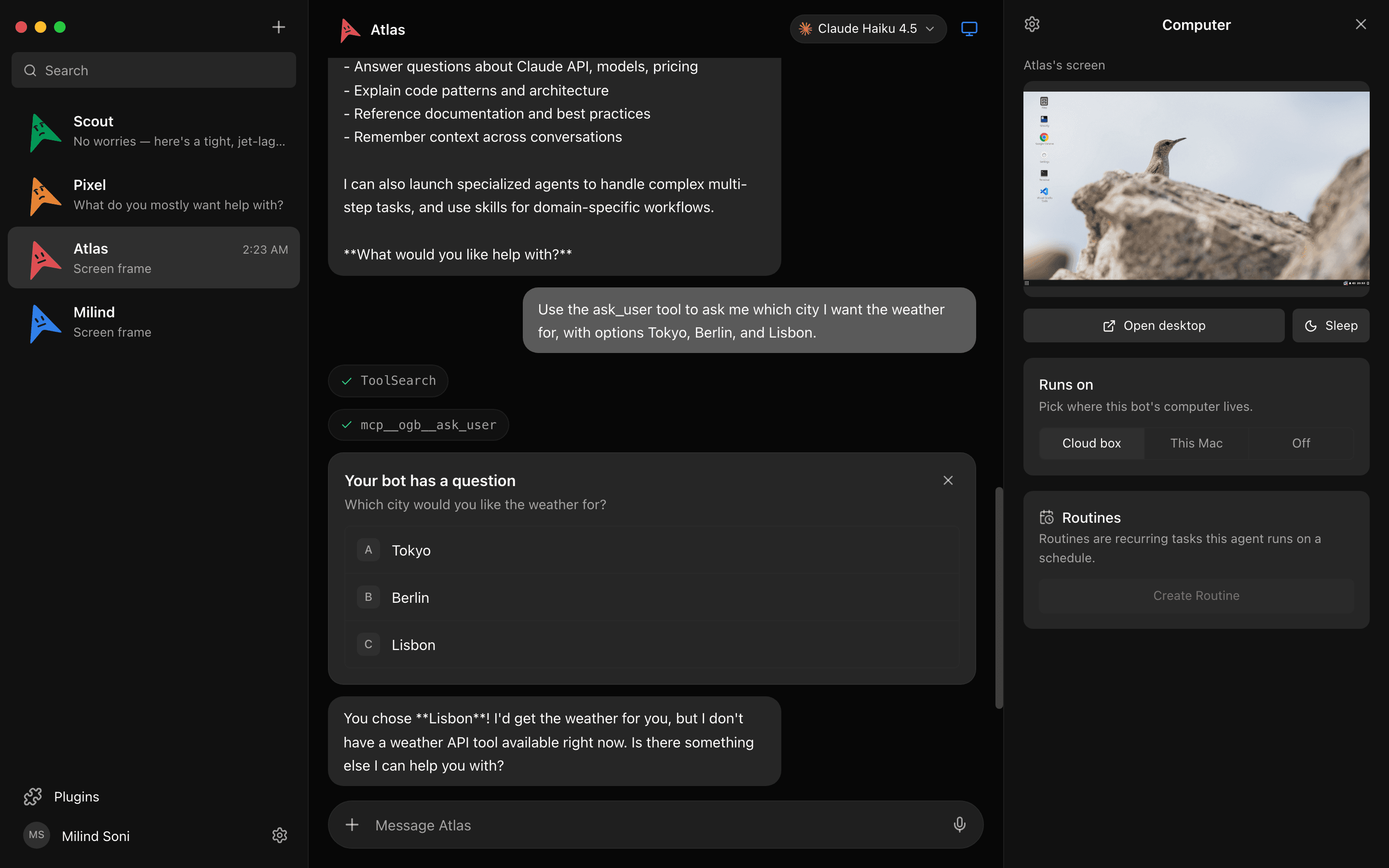
A computer per bot, yours or a cloud one
On a Cloud plan, a bot gets a cloud computer with a live desktop you can watch or take over. Or let the bot work on the machine it is installed on, macOS, Windows, or Ubuntu, on your own VPS as a remote desktop, or in your own Chrome through My Chrome.
A team, not one session
Put bots in a group chat and they hand off work to each other, or make one bot Chief of Staff to hand out the jobs. An About me that every bot reads keeps your standing preferences in one place. Automations run a bot on a schedule, from a webhook, or on an app event.
Here is a live simulation of four bots working in parallel:
A simulation. Pick a bot, or type to it. The replies are scripted; the real thing runs on your own machine.
What Cowork still does better
Three things. Cowork builds Excel files with working formulas, PowerPoint decks, and formatted documents as a built-in feature, plus Claude Docs and Slides in beta. It comes from the company that makes the model, with first-party connectors, plugins, and a Chrome side panel. And its cloud sessions and scheduled tasks keep running with no device online on every paid plan, while MausBot needs a Cloud plan from $19 a month or your own server for that. If any of those is the job, Cowork is the better tool today.
Other Claude Cowork alternatives
- OpenWork from different-ai is the closest open-source clone of Cowork: MIT apart from a source-available ee/ folder, about 24,500 stars, an Electron app on macOS, Windows, and Linux, built on OpenCode. If you want Cowork's shape with OpenCode's model list, start here.
- Eigent is an Apache 2.0 multi-agent desktop on CAMEL-AI, about 15,800 stars, an Electron app with a Python backend, that can run on local models. The pick when the job is a workforce of agents rather than one assistant.
- Kuse Cowork is a Rust take on the same idea, MIT, with about 760 stars. We do not have enough verified detail to compare it line by line, so check its README before deciding.
- OpenClaw is a self-hosted agent, MIT with about 394,000 stars, with desktop apps and a gateway reached over WhatsApp, Telegram, Discord, Slack, Signal, iMessage, and the rest of its 29 channels. We covered it in our OpenClaw alternative post.
- Hermes Agent from Nous Research is MIT, about 263,000 stars, with Hermes Desktop since June 2026, a smart approval mode by default for shell commands, and gateways to Telegram, Discord, Slack, WhatsApp, Signal, email, and more. One agent; profiles give you separate ones, not a team in one room.
Which one should you choose?
Stay on Cowork if you are all in on Claude, you want Office documents generated for you, and a paid plan is fine.
Choose OpenWork if you want the Cowork workflow with open source and OpenCode underneath.
Choose Eigent if the job is a team of agents on one task, possibly on a local model.
Choose MausBot if you want more than one model, a local model as an option, an approval level you set per bot, a bot per job with its own apps and computer, and a desktop app on Mac, Windows, or Ubuntu that costs nothing beyond what you already pay your providers.
Frequently asked questions
- Does Claude Cowork work on Windows?
- Yes, since February 10, 2026. The Windows complaint you still see in older threads is out of date. Cowork now runs in Claude Desktop for macOS, Windows and Linux (beta), on the web, on mobile, and in the Chrome side panel, and since September 16, 2026 it has been merging with chat into one Claude, where you no longer pick a mode first.
- Is there a free version of Claude Cowork?
- No. Cowork needs a paid plan: Pro at $20 a month, Max at $100, Ultra at $200, or a Team or Enterprise seat. The open-source alternatives here are free. The MausBot app is free and includes no AI usage; a bot on Claude runs Claude Code on the Claude plan you already have.
- Can I use Claude Cowork with a local model?
- No. Cowork runs Claude. Organizations can route it through Amazon Bedrock, Google Cloud, Microsoft Foundry or their own gateway, but that is still Claude. MausBot detects Ollama, LM Studio, oMLX, EXO and Unsloth hosts and offers them in each bot's model picker, and a different bot can run on Claude at the same time.
- What is the best open-source Claude Cowork alternative?
- It depends on the job. OpenWork is the closest clone of Cowork's shape. Eigent is the pick for a multi-agent workforce that can run on local models. MausBot is the pick if you want one team of the AI agents you already have, on Mac, Windows or Ubuntu, with more than one model, an approval level you set per bot, and hundreds of connected apps.
- Can I use my Claude subscription in MausBot?
- Yes. A MausBot bot on Claude runs Claude Code on the Claude account you already have; MausBot installs Claude Code for you and signs it in from inside the app. The same goes for Codex. Your data stays in
~/.openmausboton your own machine, MausBot includes no AI usage, and there is nothing to pay us for the app.
Get started in two minutes
Download for macOS, Windows, or Ubuntu, let MausBot install Claude Code or Codex for you or use the agents you already have, and meet your first bot. No card, no waitlist. Or read the source on GitHub first. Everything on the features list is free; see pricing for Cloud plans from $19 a month.
This post is based on the products as they were on . Products change. If something here is out of date, tell us and we will correct it.